



To allow bindCommerce to communicate with Kaufland, you first need to create the corresponding node.
You can do this from the following menu: Process >> Nodes
Click on Add and complete the fields as follows:
- Technology: select Marketplace Kaufland
- Name: the name you want to assign to the node
Click SAVE AND CONTINUE to display the next fields.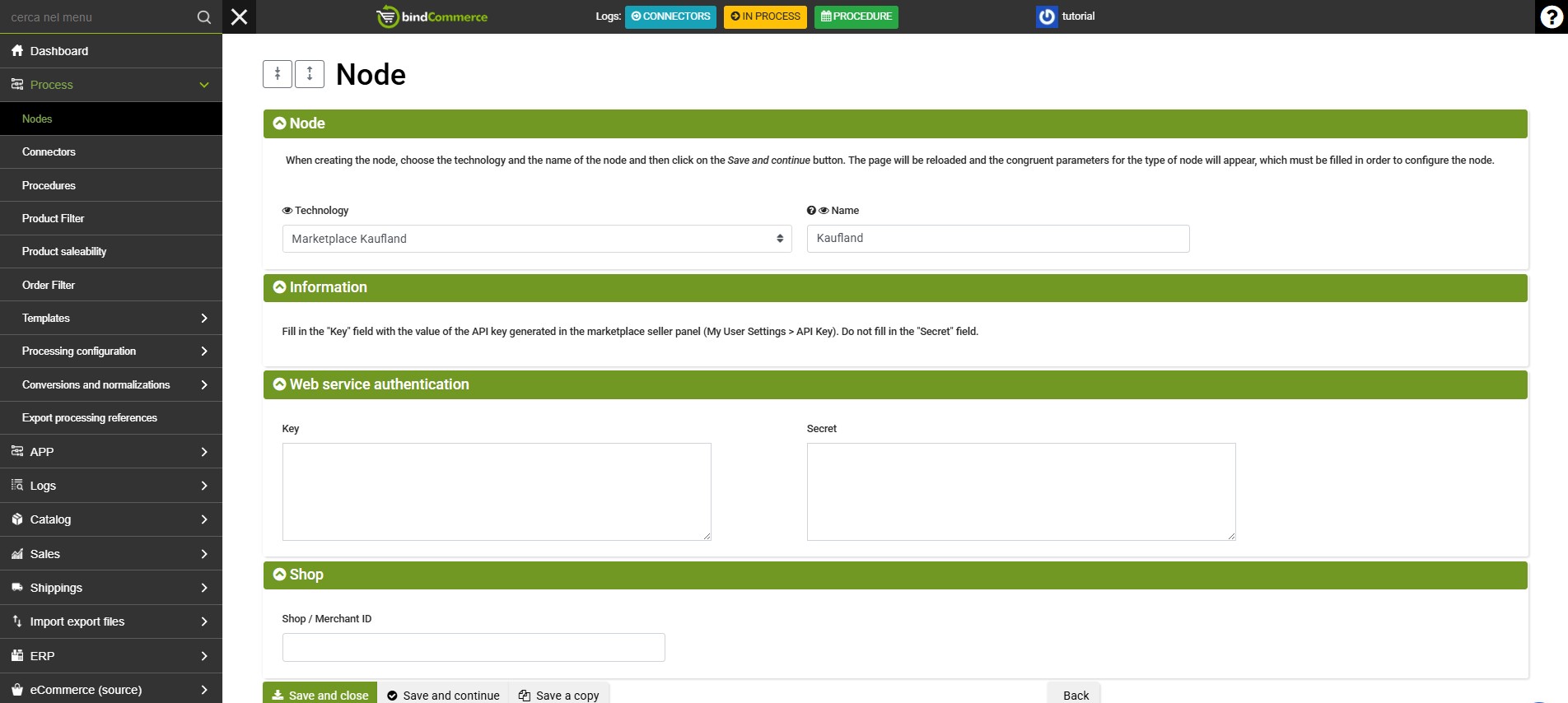
- Key: retrieve the key from Kaufland
- Secret: retrieve the secret code from Kaufland
To obtain the Key and Secret, log in to the Kaufland dashboard and go to: Settings > Shop Settings > API, then click Generate new API keys. - Shop / Merchant ID: the ISO code of the target market (example: it)
Click SAVE AND CLOSE.
Thank you for rating this article.