



To import orders from TikTok Shop into bindCommerce, you first need to create at least one order import configuration and define the parameters required to perform the operation.
Orders imported into bindCommerce can then be exported, for example to an ERP system or another supported channel, or simply used to deduct the corresponding quantities sold from inventory.
Order import configuration
To create an order import configuration, go to the following menu:
Marketplace >> TikTok Shop >> Import Orders
Click on Add to begin.
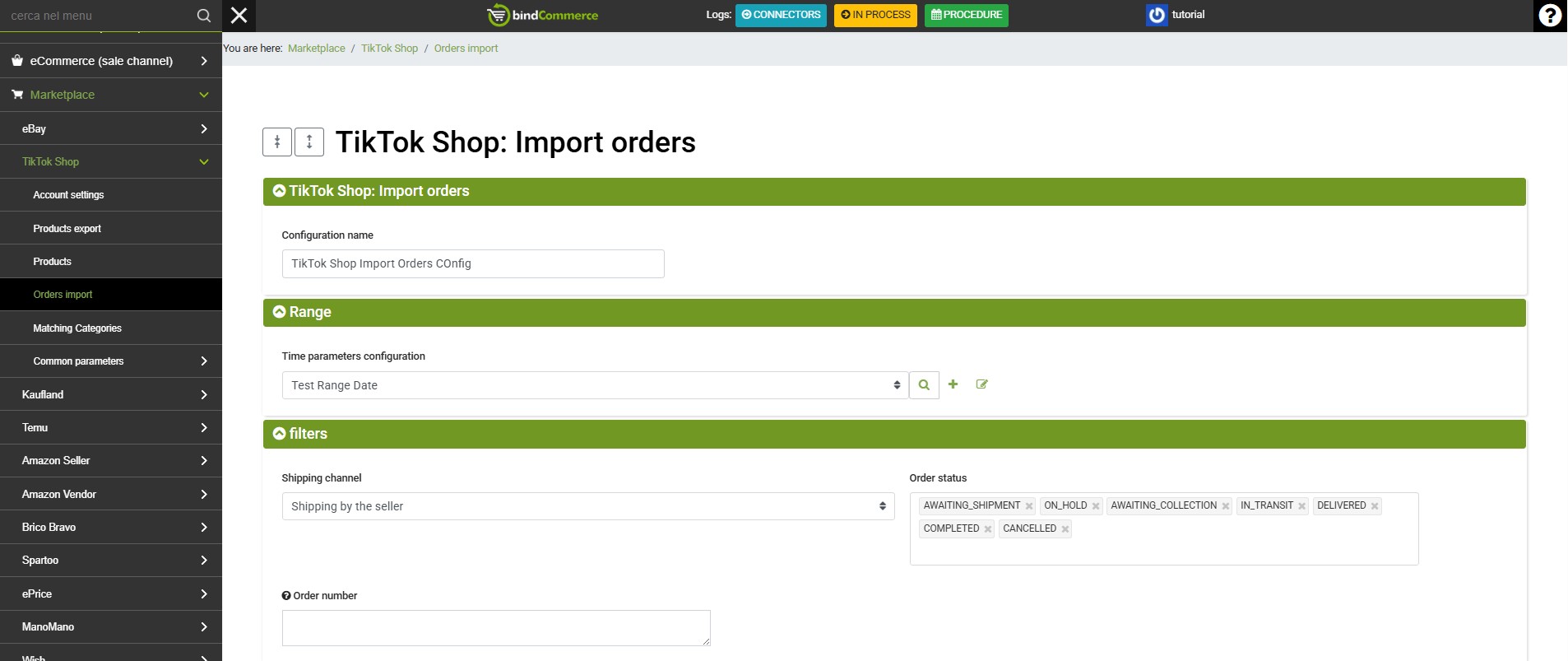
Complete the configuration fields as follows:
- Configuration name: enter a name of your choice for the configuration
- Time parameter configuration: select an existing configuration or create a new one by clicking the + button next to the field and completing the available fields.
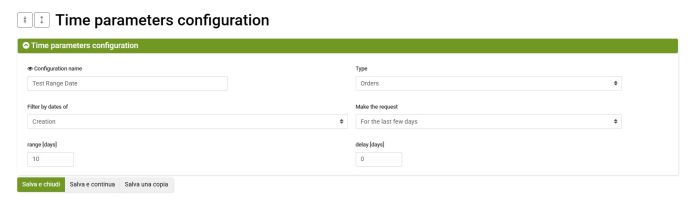
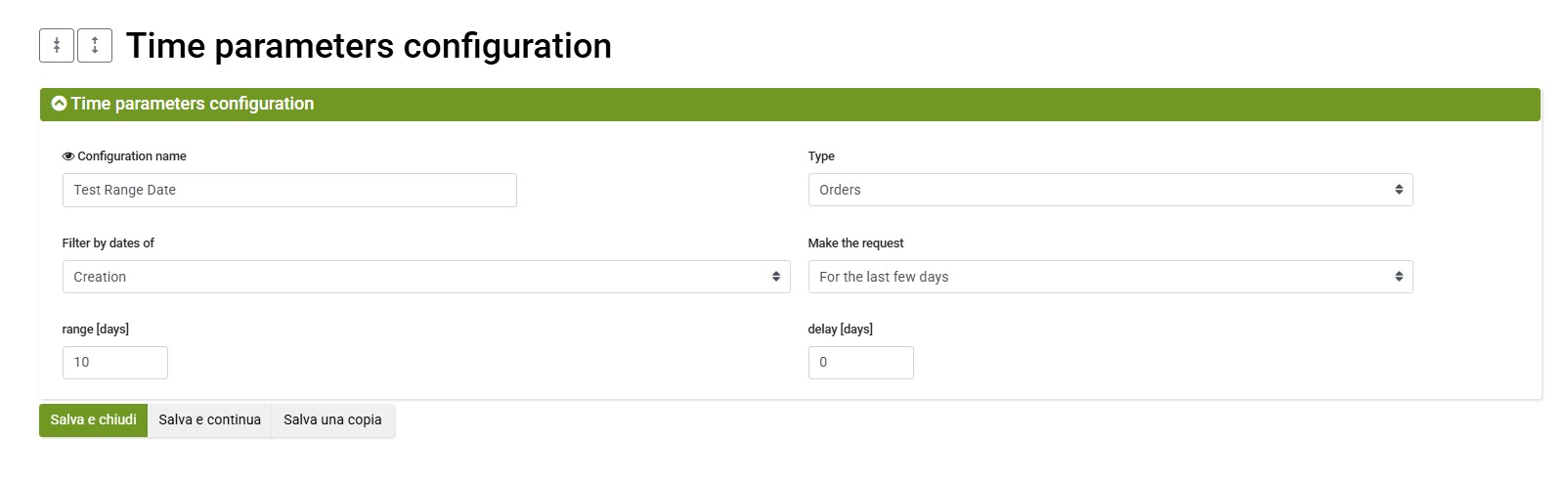
- Configuration name: enter a name of your choice to identify the time parameters
- Type: select Orders from the drop-down menu
- Filter by date of: select Creation or Modification
- Request period: select For the last days, For the last hours or Date range. For the most common use case, it is useful to download orders created within the last few days
- Range: based on the previous selection, specify how many days or hours to consider and, if necessary, a delay (time shift) for the range
Click on SAVE AND CLOSE to finish and select the configuration you have just created. - Shipping channel: select whether to import orders with Seller Shipping or Fulfilled by TikTok
- Order status: select one or more order statuses to import from the following options:
- UNPAID
- ON_HOLD
- AWAITING_SHIPMENT
- AWAITING_COLLECTION
- IN_TRANSIT
- DELIVERED
- COMPLETED
- CANCELLED
For typical use, it is recommended to select AWAITING_SHIPMENT and CANCELLED. - Order number: optionally, you can enter specific order numbers to download in this field, separating them with commas. If this field is completed, the other configured parameters will be ignored. Leave it blank for normal use.
- Skip orders already available in bindCommerce?: select Yes to import only new orders into bindCommerce. Select No if, for example, you also want to update the status of orders that were previously imported.
- Price list used to retrieve the VAT rate: select a price list containing the VAT rate to apply to imported orders, or create a dedicated price list.
- Update warehouse quantities for imported orders?: select Yes to deduct the quantities sold from inventory in bindCommerce. Otherwise, select No, for example if you prefer to manage stock through your ERP system.
Once all fields have been completed, click on SAVE AND CLOSE.
Order import connector
After creating the order import configuration by following the instructions above, you can proceed with creating the connector used to download the orders.
To create the connector, go to the following menu and click on Add:
Process >> Connectors
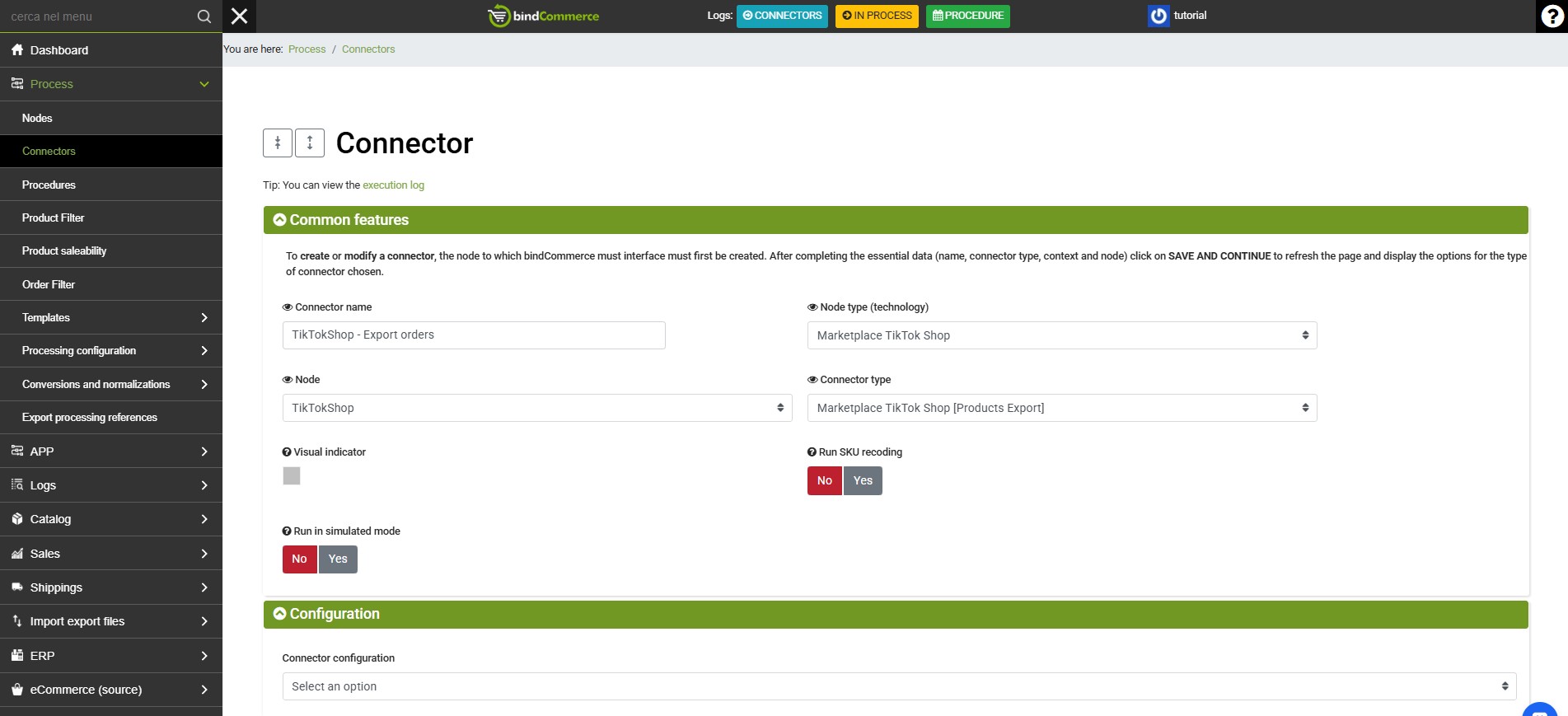
Complete the available fields as follows:
- Connector name: enter a name for the connector, preferably one that clearly identifies its function
- Node type (technology): select Marketplace TikTok Shop
- Node: select the TikTok node created previously
- Connector type: select Marketplace TikTok Shop [Order Import]
- Perform SKU recoding: optionally select Yes if the product SKUs available on TikTok differ from those available in bindCommerce
- Run in simulation mode: optionally select Yes to run the connector without producing any actual changes
- Connector configuration: select the order import configuration created previously
- Product filter: optionally select a filter for the order lines to be imported
- Run the connector immediately?: optionally select Yes to run the connector when the configuration is saved.
Once all fields have been completed, click on SAVE AND CLOSE.
The connector can then be run manually from the connectors list by clicking the relevant play button.
It is recommended to include the connector in a procedure for timed or scheduled execution.
You can then view the imported orders from the following menu: Sales >> Sales Documents.
Thank you for rating this article.