



Both after generating the TikTok token and after making any changes to the shop settings, the relevant references must be imported into bindCommerce using the connector described below.
Shop settings import connector
Using the settings import connector, the following information will be imported from TikTok into bindCommerce:
- Active shops
- Warehouses
To create the connector, go to the following menu:
Process >> Connectors
Click on ADD to begin.
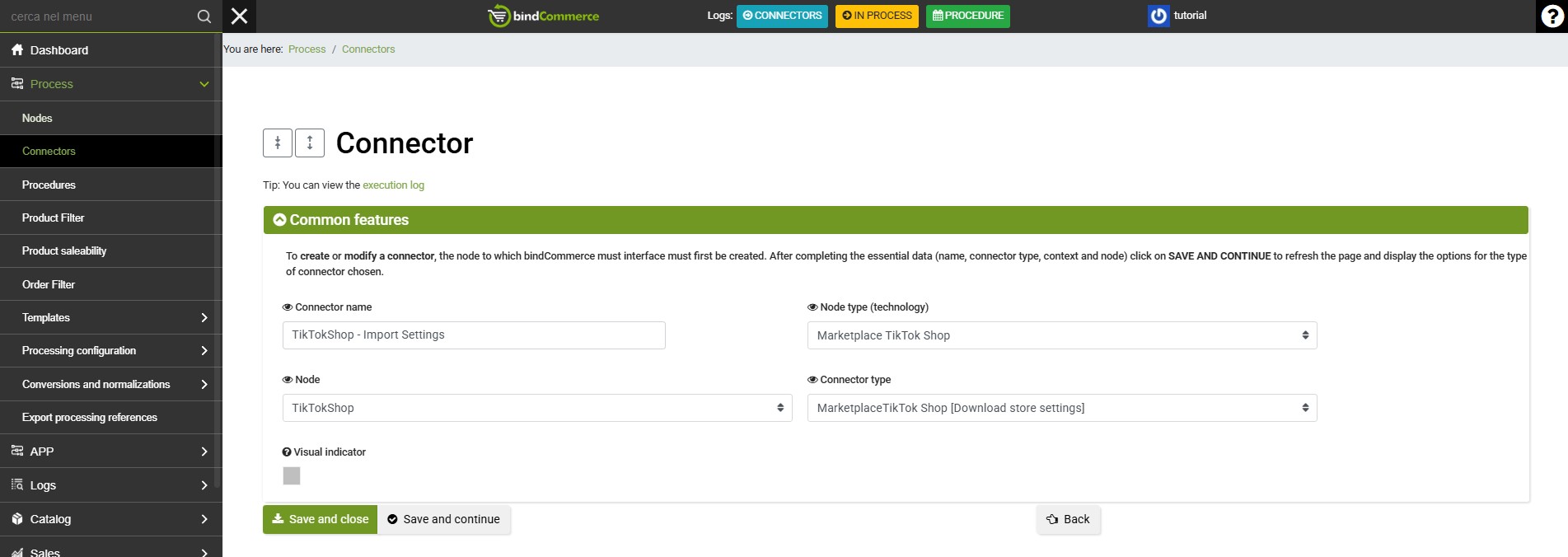
Complete the fields as follows:
- Connector name: enter a name of your choice or one that clearly identifies the connector's function
- Node type (technology): Marketplace TikTok Shop
- Node: select the TikTok Shop node
- Connector type: Marketplace TikTok Shop [Download store Settings]
Click on SAVE AND CONTINUE to display the next field:
- Run the connector immediately?: choose whether the connector should be executed immediately after clicking Save. Otherwise, you can run the connector by clicking the relevant "play" button in the connectors list.
Click on SAVE AND CLOSE to complete the connector creation.
Run the connector and check the result by consulting the relevant log.
Thank you for rating this article.