


The Purchase Order Number (PO Number) in Amazon Business is an order identifier assigned by the buyer, not by Amazon.
In a B2B context, a company may optionally create an internal order (Purchase Order) before making a purchase, assigning it a unique number. When completing the purchase on Amazon Business, they can enter that number in the “Purchase Order Number” field during checkout.
What is it used for?
- Internal order tracking: it allows the company to reconcile the purchase with its own management system, department, or project.
- Accounting facilitation: the PO Number appears on the invoice, making it easier to match expenses with the budget.
- Cost center management: each department can have different POs.
- Refunds and internal controls: it simplifies approval and archiving.
bindCommerce manages the Purchase Order Number that Amazon Business customers enter during purchase. This number can be:
- Displayed through the bindCommerce administrative interface
- Transmitted via API to the seller’s ERP and then printed on invoices or included in reports
- Used in shipping labels
Viewing the PO number in the bindCommerce interface
For Amazon Business orders, the PO number is automatically downloaded and saved in the bindCommerce database. It can be viewed by navigating the menu:
Sales > Attributes > Sales Attribute Values
The attribute name is AmazonPurchaseOrderNumber
PO number export with the order export API
The order parameter is automatically exported in the API export documents, in the <Params> section of the order with the key AmazonPurchaseOrderNumber.
For more information, consult the API Export Documents guide.
Once acquired by the seller’s ERP, it can be printed on the invoice or included in any reports managed by the ERP itself.
Use in shipping labels
Transmission to bindCommerce Shipping
To be used in shipping labels, the attribute must be included among those transmitted to bindCommerce Shipping. To achieve this, the attribute must be included in the BSHIPPING_EXPORT_ORDERS export configuration, in the order_attributes section, under the name purchase-order-number (from the menu System Parameters > Custom Parameters).
For example, for the connector with id = 3
{
"3": {
"order_attributes": {
"gift-message-text": "{General/AttributeList/Attribute[./Name/text()='GiftMessageText']/Value}",
"purchase-order-number": "{General/AttributeList/Attribute[./Name/text()='AmazonPurchaseOrderNumber']/Value}",
"gift-wrap-level": "{General/AttributeList/Attribute[./Name/text()='GiftWrapLevel']/Value}",
"sender-name": "{General/AttributeList/Attribute[./Name/text()='AmazonBuyerName']/Value}",
"sender-company": "{General/AttributeList/Attribute[./Name/text()='AmazonBuyerCompany']/Value}"
},
"row_attributes": {
"gift-message-text": "{Params/Param[./Name/text()='GiftMessageText']/Value}",
"gift-wrap-level": "{General/AttributeList/Attribute[./Name/text()='GiftWrapLevel']/Value}"
}
}
}
After being transmitted to bindCommerce Shipping, it will be visible in the individual orders that contain it, and then copied to the related shipments.
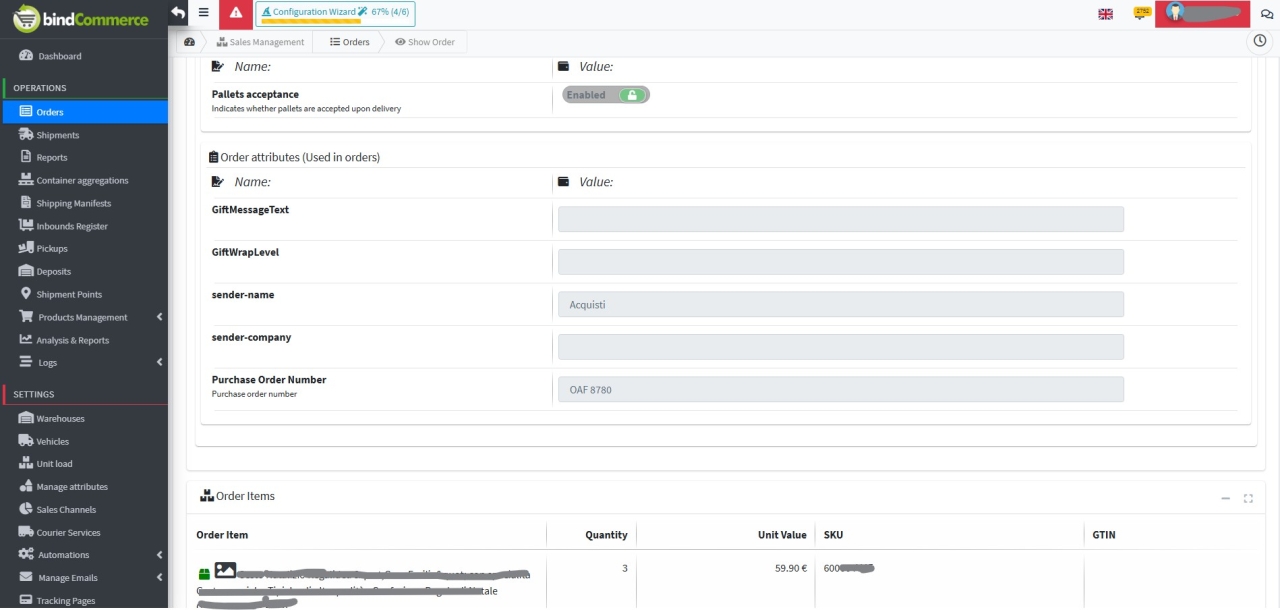
The seller can decide where to print this data, based on the configurations allowed by each individual courier managed by bindCommerce Shipping and depending on the available space.
Printing on labels for the courier Poste Delivery Business
In Poste Delivery Business, the following printable areas are available:
- Client reference, maximum 30 characters (1)
- Sender info, maximum 20 characters (2)
- Shipment Content, maximum 30 characters (3)
These areas have different positions depending on the label format (A4 or 10x11 cm).
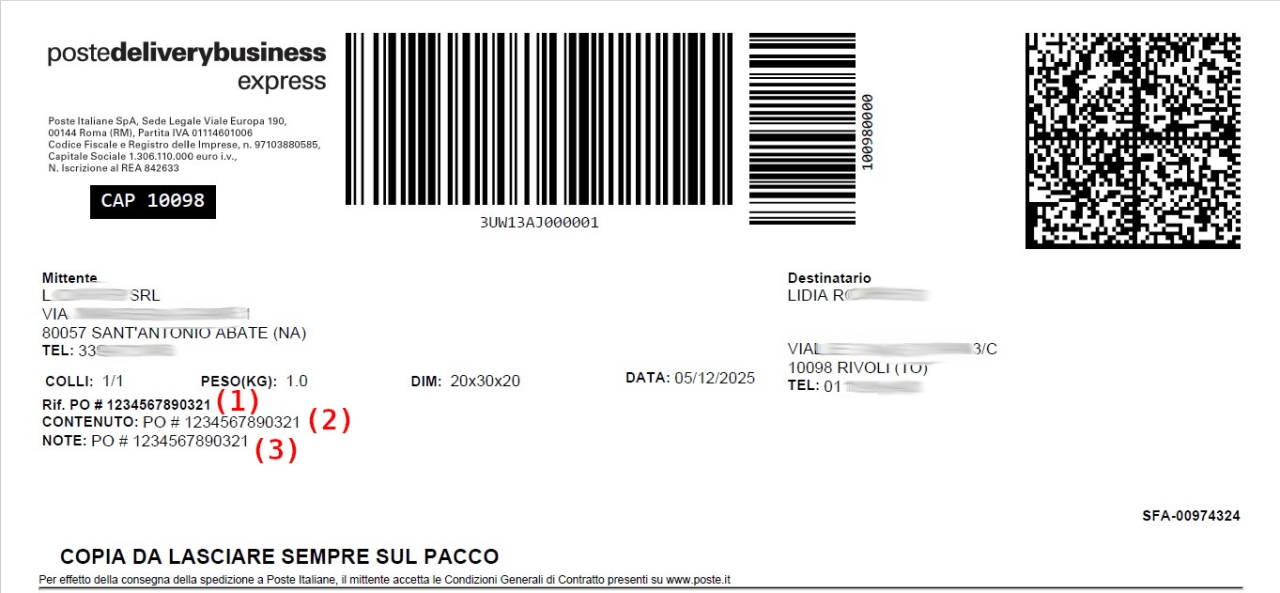
Poste Delivery Business A4 label
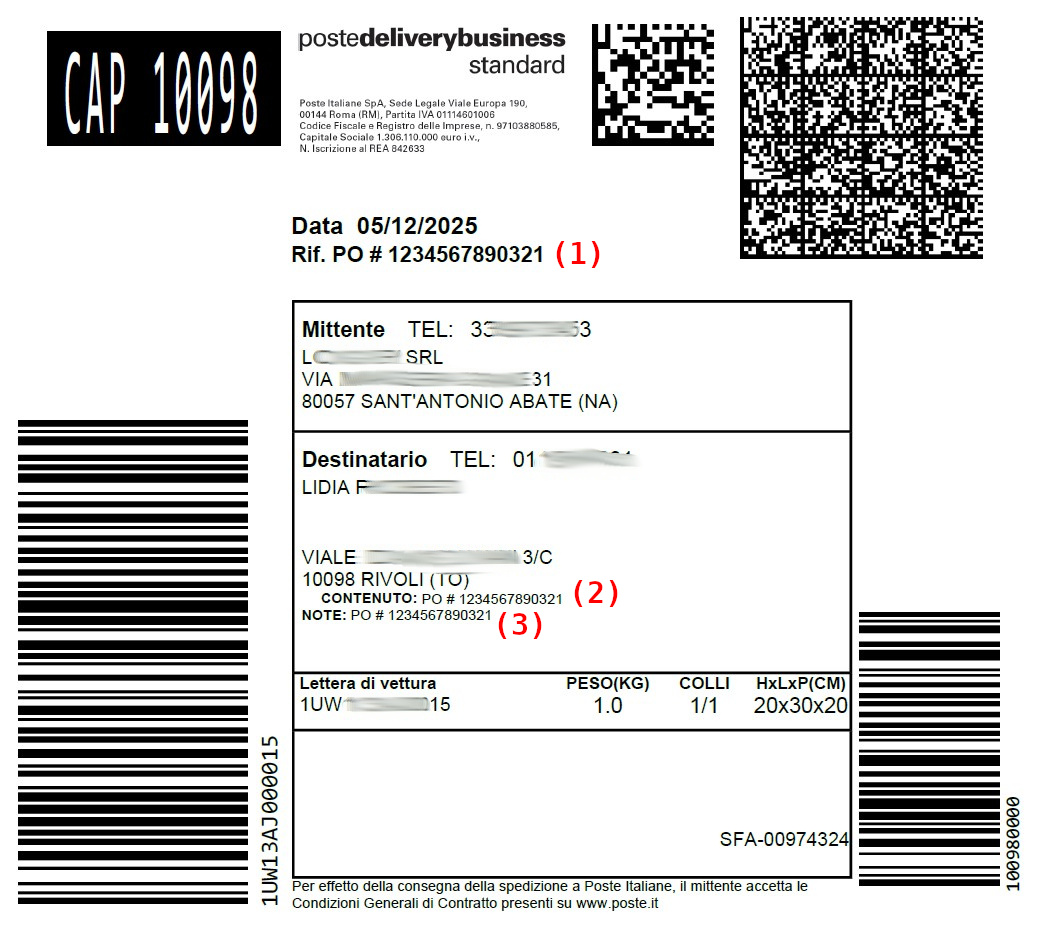
Poste Delivery Business 10x11 cm label
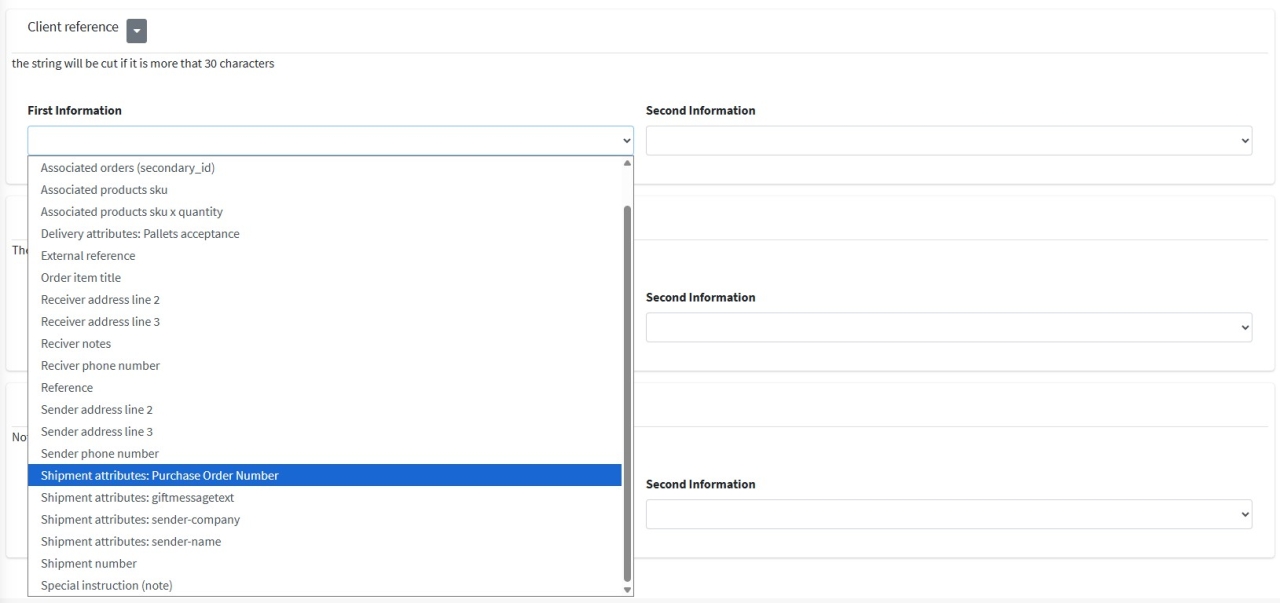
The configuration of the fields to include in the label can be managed in the courier configuration, in the menu:
CONFIGURATIONS > Shipping Services > Poste Delivery Business
Printing on labels for the courier BRT
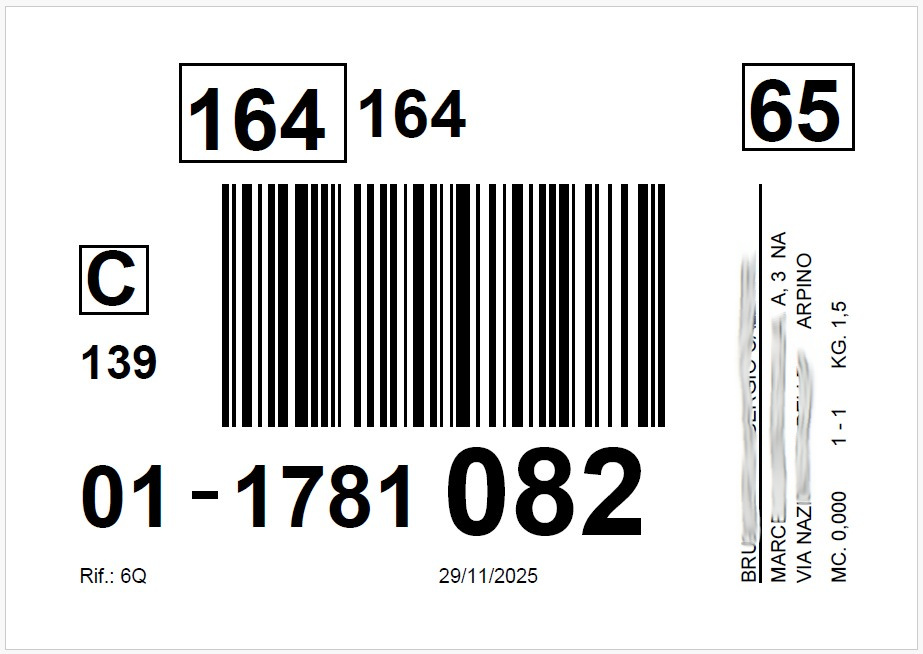
The only customizable area in the BRT label print is the unique shipment reference, and this cannot be the PO number because it is not always present and uniqueness cannot be guaranteed.
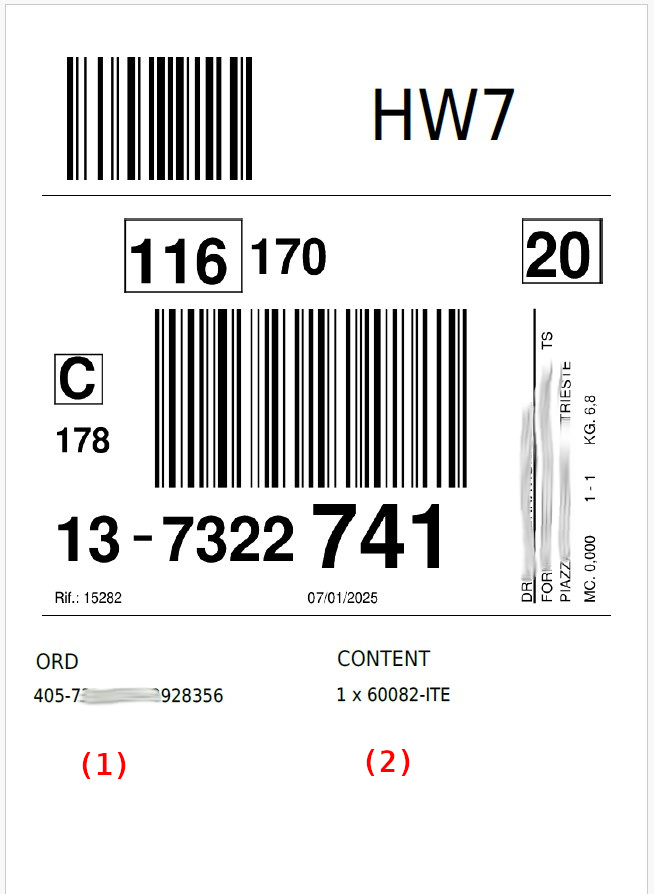
To include the PO number, it is possible to use the label post-processing features offered by bindCommerce, for example in position (1) or (2).
Printing on labels for the courier TNT
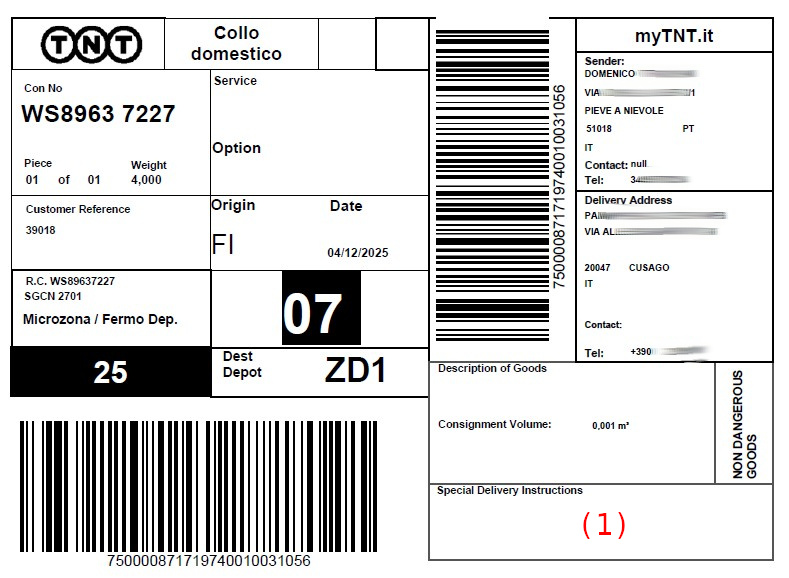
On national TNT labels, a single customizable area is available, indicated in the figure (1).
Printing on labels for the courier GLS Italy
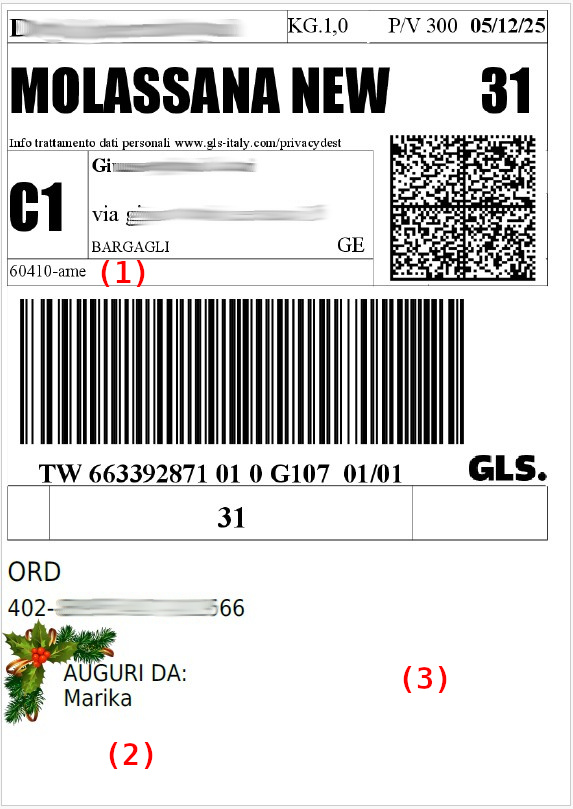
For GLS, it is possible to use the native position (1) or, using post-processing, the additional positions such as (2) or (3).
Printing on labels for the courier DHL
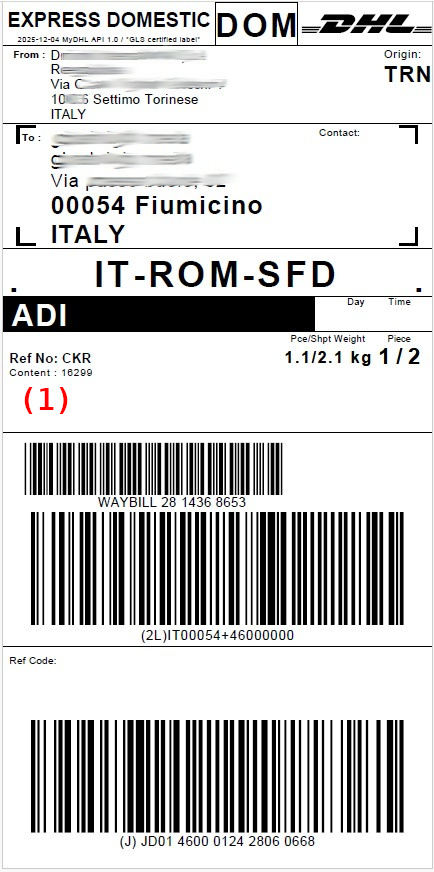
For DHL, it is possible to use the native position (1).
Printing on labels for the courier UPS
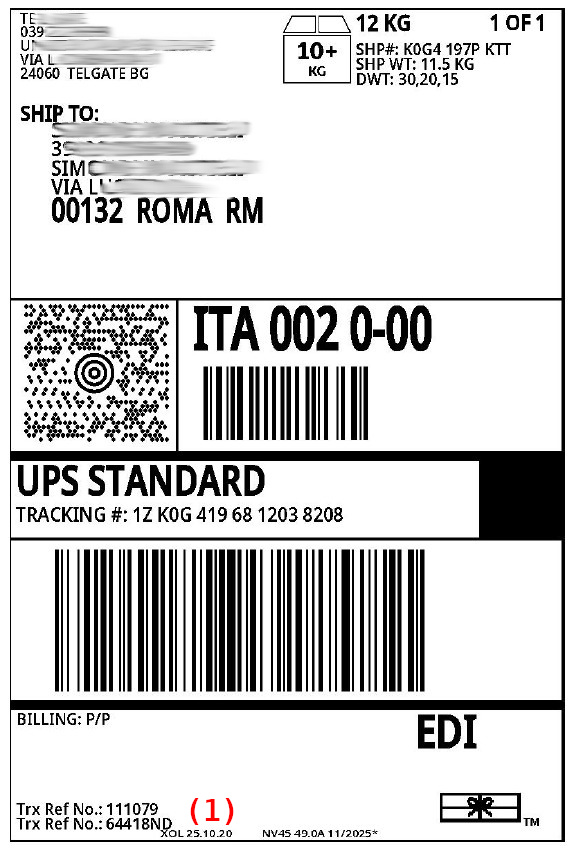
For UPS, it is possible to use the native position (1).